Dimraeth Steam Deck, Controls, CPU and GPU Specs
Verified Dimraeth Steam Deck settings, Patch 0.107.7745 docking station fix, full controller mapping, and minimum vs recommended CPU vs GPU specs.
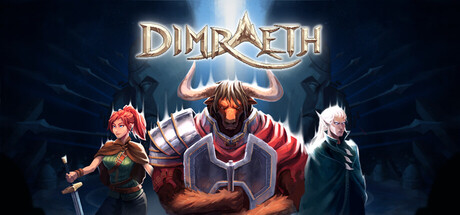
Dimraeth requires Windows 10, Core i3 (4th gen), 4 GB RAM, GTX 1650 or RX 5500 XT, and 5 GB storage. Full controller support and Steam Deck play are confirmed, with Patch 0.107.7745 resolving docked inputs.
Dimraeth, the 1-8 player fantasy action RPG by Mudtek, pairs high-intensity combat with stylized pixel-art aesthetics. Because combat relies on strict parry windows and real-time projectile dodging, understanding your hardware constraints, input latency, and handheld settings is essential for survival across Mirkea.
Short answer: Dimraeth runs cleanly on modern gaming PCs and handheld devices like the Steam Deck. While the Steam store states that desktop integrated graphics are unsupported and requires 4 GB of dedicated VRAM, the Steam Deck’s custom AMD APU handles the title natively at 1280 x 800. Furthermore, official updates like Release 0.107.7745 and Release 0.107.7822 introduced dedicated input fixes for docking stations and controller flask targeting. Below is the full technical specification sheet, Steam Deck optimization checklist, and complete input breakdown.
1. Official Dimraeth System Requirements & Hardware Specifications
Mudtek engineered the engine to sustain fluid 60 FPS combat during intensive 8-player cooperative boss encounters:
| Hardware Component | Minimum Requirement | Recommended Specification |
|---|---|---|
| Operating System | Windows 10 (64-bit) | Windows 10 / Windows 11 (64-bit) |
| Processor (CPU) | Intel Core i3 (4th gen) or AMD equivalent | Intel Core i5 (6th gen) or AMD Ryzen 3 |
| System Memory (RAM) | 4 GB RAM | 8 GB RAM Dual-Channel |
| Graphics (GPU) | NVIDIA GeForce GTX 1650 (4GB) / AMD Radeon RX 5500 XT (4GB) | NVIDIA GeForce GTX 1050 Ti / AMD Radeon RX 560 or better |
| Video Memory (VRAM) | 4 GB Dedicated VRAM | 4 GB Dedicated VRAM or better |
| DirectX Version | DirectX 11 compatible | DirectX 11 / DirectX 12 compatible |
| Storage Space | 5 GB available space | 10 GB available space (SSD Recommended) |
| Network | Broadband Internet (for online multiplayer) | Low-Latency Broadband Internet |
| Audio | Integrated sound device | Dedicated or integrated sound card |
The lightweight 5 GB download size makes installation swift, but installing on an SSD is strongly recommended to prevent hitching during fast-travel between settlements and remote dungeon biomes.
2. CPU vs GPU Bottlenecks in 1-8 Player Co-op
When playing solo, Dimraeth places minimal strain on contemporary graphics cards. However, in multiplayer sessions, system bottlenecks shift dramatically depending on party size:
CPU & RAM Constraints in Multiplayer
- Host World Simulation: When hosting a 1-8 player session, the host machine calculates all enemy AI paths, status condition ticks, and physics calculations across active world chunks. A 4th-generation Core i3 can experience frame drops if all 8 players disperse across different biomes. Upgrading to a 6-core processor like an Intel Core i5 or AMD Ryzen 5 stabilizes host tick rates.
- Settlement Construction: Large player settlements with dozens of storage chests, crafting benches, and defensive barriers increase system memory footprint. While 4 GB RAM meets the boot requirement, 8 GB RAM prevents hitching during world chunk streaming.
GPU & VRAM Demands in Boss Arenas
- Particle Layering: Dimraeth’s magic system features layered elemental hazard fields. When an Earthshaker covers the floor in Burning pyromancy while an Elemental Ranger detonates elemental status bursts, alpha-blended spell particles demand solid fill-rate bandwidth.
- Dedicated 4 GB VRAM: The requirement for 4 GB dedicated VRAM ensures high-resolution spell effect buffers remain resident on the GPU, avoiding bandwidth starvation over system PCIe lanes.
3. Steam Deck Optimization & Patch 0.107.7745 Docking Fix
The Steam Deck provides an ideal form factor for exploring Mirkea on the go. Its custom AMD APU and 1280 x 800 optically bonded display provide crisp sprite rendering and responsive input.
Handheld Performance Verification
| Steam Deck Feature | Implementation Status | Technical Notes |
|---|---|---|
| Native Display Resolution | 1280 x 800 (16:10 aspect ratio) | Matches Steam Deck LCD and OLED panel aspect ratios |
| Controller Glyph Support | Native Xbox / Steam Deck glyphs | Contextual button prompts match face and shoulder buttons |
| Docking Station Support | Fully Resolved in Patch 0.107.7745 | Removes hard-coded controller lock when docked to display |
| Cloud Synchronization | Valve Steam Cloud enabled | Seamlessly carries hero saves between PC and handheld |
| Default Frame Limiter | 60 FPS target | Lowering to 45 FPS extends handheld battery life significantly |
Patch 0.107.7745 Docking Station Resolution
Prior to Release 0.107.7745 (September 23, 2026), players connecting their Steam Deck to official or third-party docking stations encountered a critical input bug: the client remained hard-coded to handheld gamepad mode, preventing external USB keyboards and mice from registering properly.
Mudtek’s patch notes specifically addressed this issue:
“Steam Deck is no longer hard-coded to controller for people using a docking station.”
Following this update, players can dock their Deck, connect a monitor and mechanical keyboard, and play with full desktop control fidelity. Review our Dimraeth Patch Notes Guide for complete details on subsequent client updates.
4. Controller & Input Mapping Guide
Dimraeth includes complete gamepad integration across Xbox, PlayStation, and third-party controllers, alongside remappable keyboard layouts:
| Combat Action | Xbox Controller Binding | PlayStation DualSense | Default Keyboard & Mouse |
|---|---|---|---|
| Primary Weapon Attack | Right Trigger (RT) | Right Trigger (R2) | Left Mouse Button (LMB) |
| Defensive Skill / Parry | Left Bumper (LB) | Left Bumper (L1) | Right Mouse Button (RMB) |
| Dodge Roll / Evasion | B Button | Circle Button | Spacebar |
| Sprint / Dash | Left Stick Click (L3) | Left Stick Click (L3) | Left Shift |
| Active Spell Slot 1 | X Button | Square Button | Number Key 1 |
| Active Spell Slot 2 | Y Button | Triangle Button | Number Key 2 |
| Active Spell Slot 3 | Right Bumper (RB) | Right Bumper (R1) | Number Key 3 |
| Active Spell Slot 4 | Left Trigger + X | Left Trigger + Square | Number Key 4 |
| Active Spell Slot 5 | Left Trigger + Y | Left Trigger + Triangle | Number Key 5 |
| Racial Mobility Skill | Left Trigger + RB | Left Trigger + R1 | Key Q |
| Use Consumable / Flask | D-Pad Down | D-Pad Down | Key F |
| Target Lock-On | Right Stick Click (R3) | Right Stick Click (R3) | Middle Mouse Click |
Patch 0.107.7822 Gamepad Enhancements
In Release 0.107.7822 (October 5, 2026), Mudtek delivered two crucial quality-of-life upgrades for gamepad users:
- Separated Controller Flask Targeting: Throwable support flasks automatically lock onto friendly allies or self, while damaging offensive flasks snap to hostile targets.
- Defensive Skill Uncoupling: Combo inputs no longer accidentally trigger your defensive parry when executing rapid spell chains. Furthermore, canceling a throwable flask throw with a parry or dodge no longer consumes an alchemical charge.
5. Supported Languages & Regional Localization
Dimraeth features complete interface and subtitle support across 8 official languages:
- English (Full UI & Subtitles)
- Simplified Chinese (简体中文) (Full UI & Subtitles)
- Brazilian Portuguese (Português - Brasil) (Full UI & Subtitles)
- German (Deutsch) (Full UI & Subtitles)
- Russian (Русский) (Full UI & Subtitles)
- Spanish - Latin America (Español) (Full UI & Subtitles)
- Korean (한국어) (Full UI & Subtitles)
- Japanese (日本語) (Full UI & Subtitles)
Upon launch, the client automatically defaults to your active Steam language setting. You can change languages at any time through the in-game Settings menu without restarting the client.
Tactical Setup Recommendations
- Prioritize 60 FPS for Parry Consistency: Defensive parry deflection relies on precise frame timing. If hosting dense 8-player lobbies in our Co-op Roles Guide, reduce particle density in graphic options to preserve zero-latency parries.
- Map Auto-Eat Consumables: Keep your character sustained during prolonged dungeon dives by exploring the Cooking & Auto-Eat Guide.
- Verify Handheld Battery Scaling: On Steam Deck, limiting the TDP to 10W and setting the refresh rate to 50 Hz delivers roughly 3.5 hours of continuous handheld exploration while maintaining smooth combat.
Frequently Asked Questions
Can Dimraeth run on low-end PCs or integrated graphics?
Dimraeth's Steam store page requires 4 GB of dedicated VRAM and notes desktop integrated graphics are unsupported. You need a discrete GPU such as an NVIDIA GeForce GTX 1650 or AMD Radeon RX 5500 XT. Entry-level laptops without dedicated graphics do not meet the minimum threshold.
Is Dimraeth verified and playable on Steam Deck?
Yes, Dimraeth runs smoothly on the Steam Deck's custom AMD APU at its native 1280 x 800 resolution. Release 0.107.7745 specifically fixed docking station input locks, allowing seamless controller or docked mouse-and-keyboard play.
Which controllers are supported in Dimraeth?
The game features native plug-and-play support for Xbox Wireless Controllers, PlayStation DualShock 4, and PlayStation DualSense, alongside fully remappable keyboard and mouse bindings.
What languages does Dimraeth support at launch?
Dimraeth supports 8 languages: English, Simplified Chinese, Brazilian Portuguese, German, Russian, Spanish (Latin America), Korean, and Japanese.
Source transparency: All gameplay mechanics, attribute scaling rules, and class systems are compiled from official Mudtek disclosures and Steam Early Access build documentation. Unofficial fan companion for Dimraeth.